
Find and plan your Feiseanna
Explore dates, venues, entry links, deadlines, hotels and syllabus documents where supplied. Browse maps and calendars, check each edition’s dates and save available PDFs for offline use.
Your Irish dancing companion for dancers, parents and teachers. Keep results, grades and Feis plans together, follow dancer progress, and share records through optional encrypted teacher connections.
Available on iPhone, iPad and Android.


FeisClár — your Feis schedule. In Irish, Clár means a timetable, schedule or programme.

Find your next Feis, follow your progress and get ready for the day.
Explore dates, venues, entry links, deadlines, hotels and syllabus documents where supplied. Browse maps and calendars, check each edition’s dates and save available PDFs for offline use.
Record placements, championships, adjudicator marks and trophies. Review competition history and charts, and keep dance competition levels and Grade 1–10 examinations as distinct records.
Prepare a Feis-day packing checklist, practise with the dance metronome and create result or podium graphics to share with family and friends.
Keep dancer records on your device, make .feisclar backups for recovery and choose whether to connect to a teacher through encrypted sync. Copy events to your calendar when you choose.
Keep your family’s competition records and Feis plans organised, with a separate profile for each dancer.
Record marks and placements, follow promotions and keep grade examination dates, examiner details and certificate photos together.
Check venue directions, entry deadlines and available syllabuses. Set optional reminders, prepare your checklist and revisit past Feiseanna to review results.
Choose to share results and grades, see target Feiseanna and respond with your attendance plans. Shared records and responses update after the connected devices sync.
Read your connected school’s introduction and shared notices, with the school and teacher clearly identified.
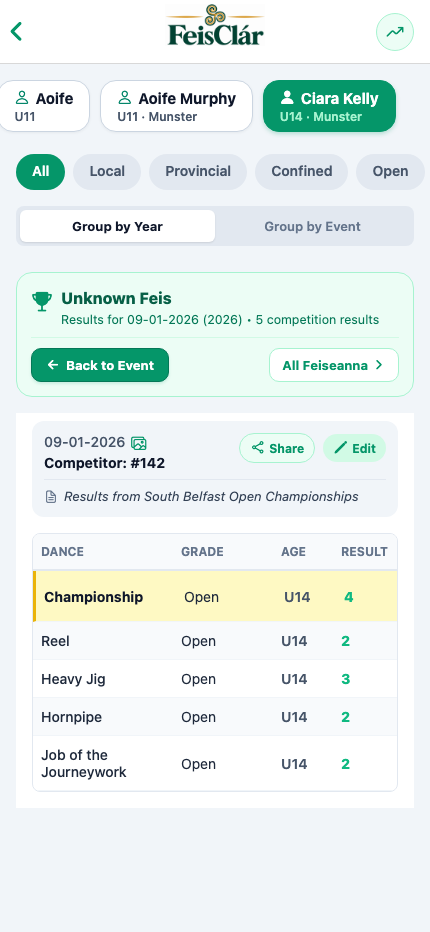
Review your students’ shared competition records and plan target Feiseanna, whether or not you enable Classes & Lessons.
Search and filter your roster by age group or grade, and choose your preferred name, age-group or grade display order.
Follow connected dancers’ shared placements, adjudicator marks, competition levels and grade examinations after sync.
Share the competitions you are targeting and review dancers’ Feis attendance choices. Keep event plans distinct from recorded lesson attendance.
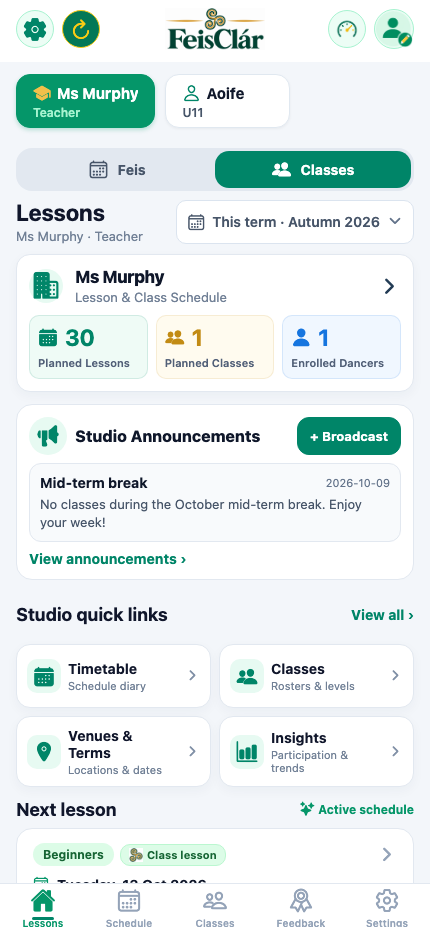
Maintain your school introduction, logo and shared notices. Prepare dancer summaries for a selected period and export them to Word or PDF; reports are snapshots, not restorable backups.
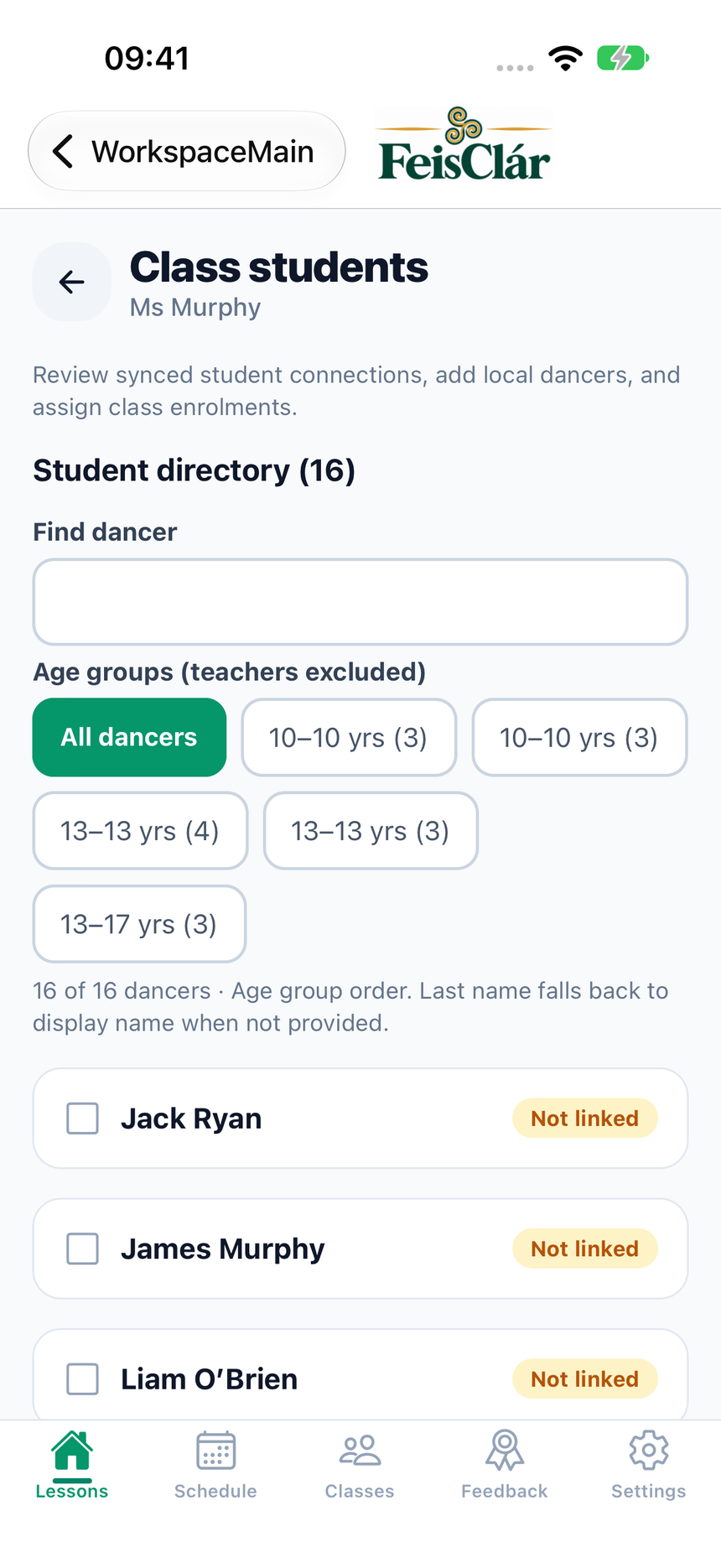
Teachers can choose to enable Classes & Lessons. When your teacher uses this feature, connected dancers can access the published lessons and class tools made available to them.
Plan or copy a term in draft. Check dates, breaks, venues and enrolments, then publish the timetable when ready. Choose which future lessons a schedule edit affects.
Review attendance intentions, record actual attendance and publish individual feedback. Keep private teacher notes separate from information shared with dancers.
Publish availability, review requests and confirm bookings after capacity and conflict checks.
Include available class records in dancer reports and export supported class data as CSV or TSV. Export confirmed term lessons as a calendar file.
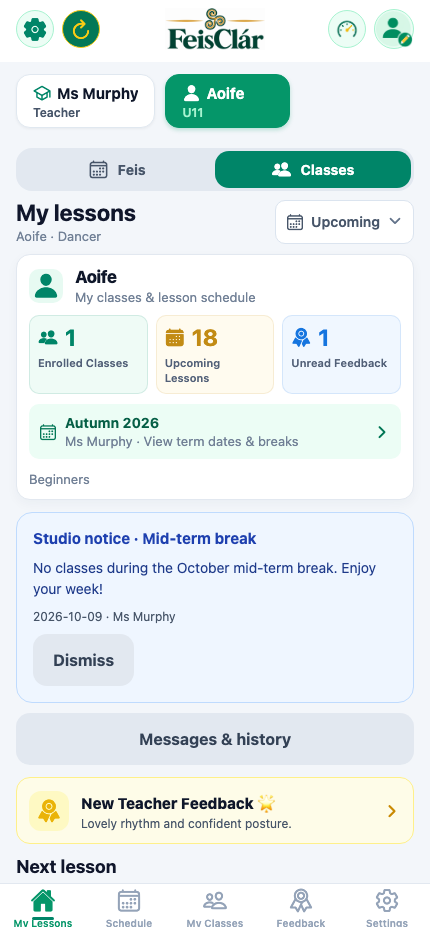
View your own term, lesson dates, times and venue details after your teacher publishes the schedule and the devices sync.
Send lesson attendance responses and read your own published feedback and class notices.
Choose an eligible published slot and send a request. A request is not a reservation; wait for your teacher’s confirmation after sync.
Use optional local reminders and export your shared lessons to a calendar file. Calendar imports are one-time copies, so later timetable changes do not update them automatically.
Keep your dancer records locally and choose whether to share selected information with a connected teacher or family device.
Your device holds your local records. Device security and backup settings matter; the SQLite database does not use application-level database encryption.
Shared record content is encrypted between connected devices. Connection metadata and technical service logs are separate from that encrypted content. Sync depends on the devices connecting successfully.
Make .feisclar backups for recovery. Word/PDF reports and spreadsheet exports serve different purposes. Exported files and shared copies need their own protection.
Read the Privacy Policy →Data deletion and sharing controls →
We would love to work directly with TCRGs, ADCRGs, and regional feis committees to ensure event schedules, official syllabus PDFs, hotel booking details, and timetables are 100% accurate and instantly accessible to competitors.
Organisers can submit new feis dates, syllabus PDFs, and timetable information directly within the FeisClár app. Open the app, go to the Settings page, and tap "Submit Feis Details Form" to generate and send your feis details to our updates team.
Supporting all dancers, branches, and community academies across Ireland, the UK, and worldwide.
FeisClár is now available on the App Store and Google Play.
Download FeisClár directly from the App Store.
Download FeisClár directly from Google Play.